Welcome to another python for beginners tutorial.
In this post we’re going to go over how to print hello world in python. This is the most common way to start programming in a language. It’s going to allow you to understand how to print and how to run a python program.
Now there are two ways to run a python program. The first is just in your terminal, the second is in a text editor which we’ll go over later.
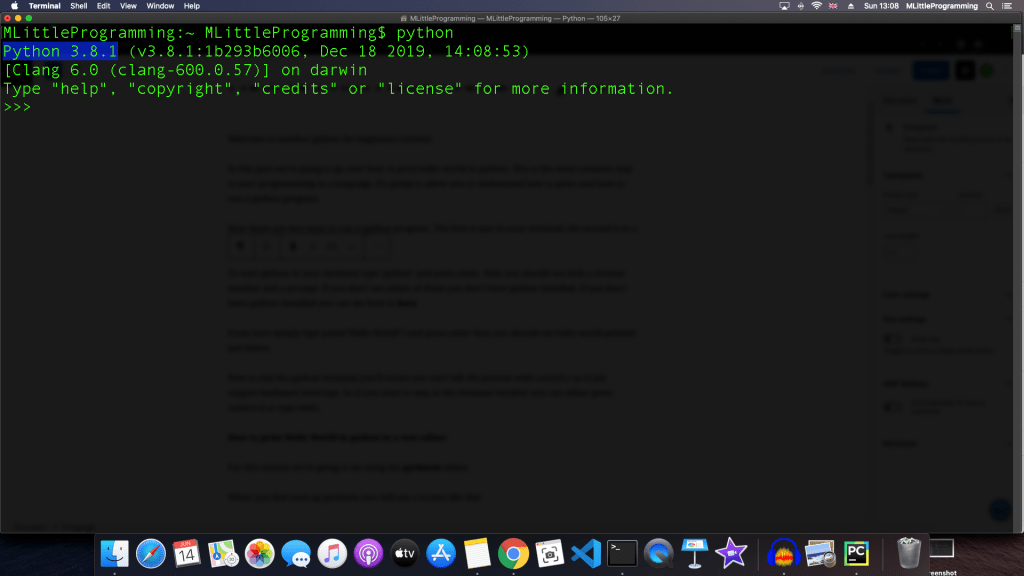
To start python in your terminal type ‘python’ and press enter. Now you should see both a version number and a prompt. If you don’t see either of those you don’t have python installed. If you don’t have python installed you can see how to here.
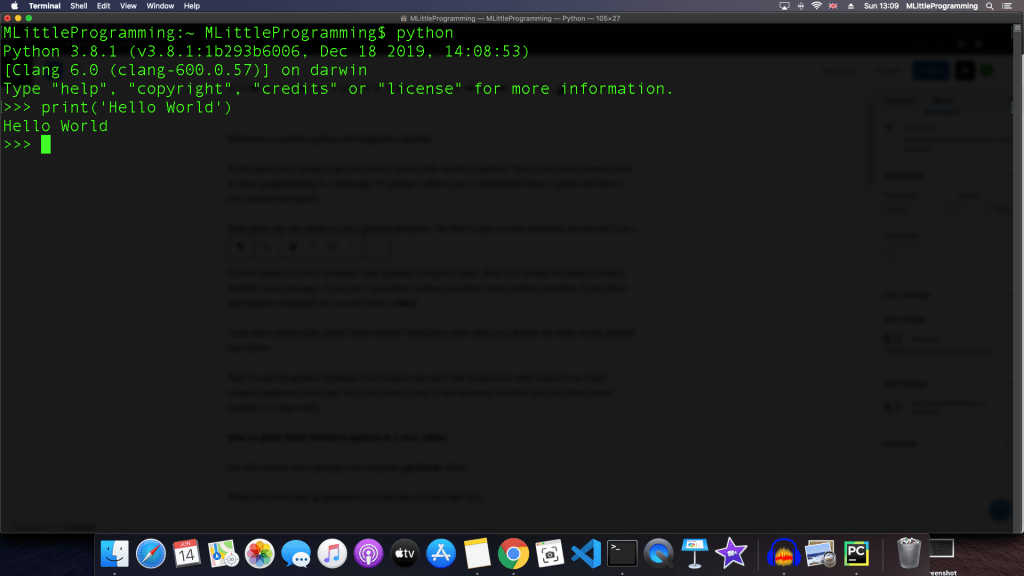
From here simply type print(“Hello World”) and press enter then you should see hello world printed just below.
Now to exit the python terminal you’ll notice you can’t kill the process with control c as it just outputs keyboard interrupt. So if you want to stay in the terminal window you can either press control d or type exit().
How to print Hello World in python in a text editor
For this section we’re going to be using the pycharm editor.
When you first load up pycharm you will see a screen like this:
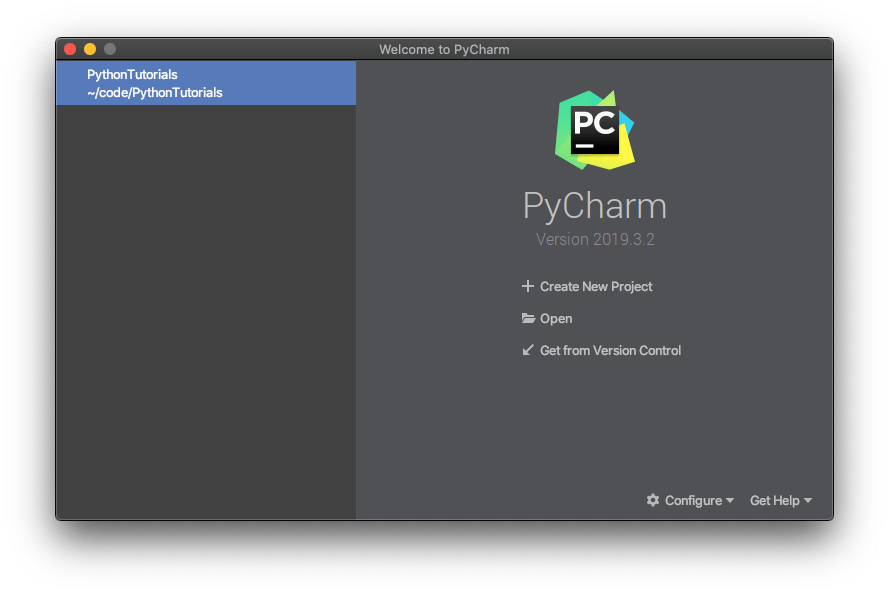
Let’s create a new project.
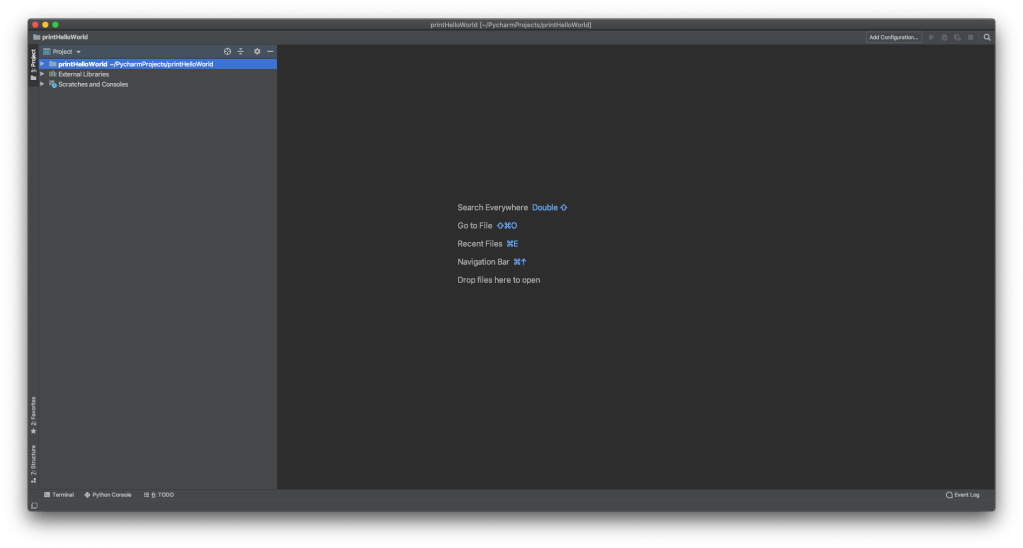
We’re just going to create a new file. To do this we right click on the project folder and select new > python file. We’ll call the file helloWorld. PyCharm will automatically add the .py extension to the file which will indicate that this is a python file.
You should now see a your helloWorld.py file opened like this:
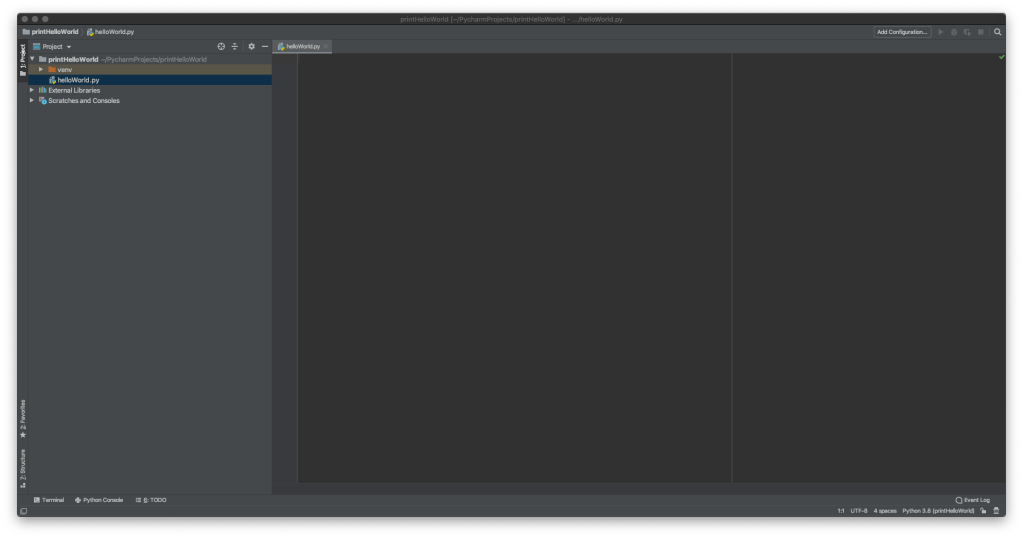
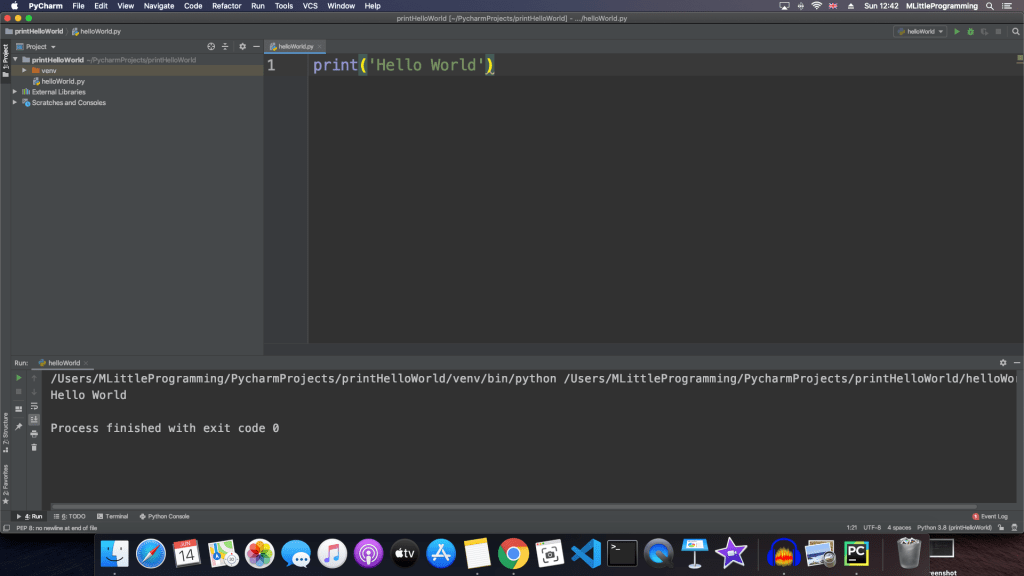
Now type print(‘Hello World’) into the text editor. At this point we have created a hello world program in python. If you would like to see your program running, right click inside the editor and select ‘Run’.
Thank you for reading this tutorial.
There is also a video version of this tutorial here: https://youtu.be/0jNFeSRKFwc
Check us out on our other social media accounts here:
Facebook: https://m.facebook.com/MLittleProgramming-105948814087310/?_rdr#_=_
Twitter: https://twitter.com/mlittle_program
Instagram: https://www.instagram.com/mlittle_programming/?hl=en
TikTok: https://vm.tiktok.com/4f95wS/
Youtube: https://www.youtube.com/channel/UC7-MzZxV8JJElJknyDJJKcQ

 mlittleprogramming.code.blog